Your AI,your subscriptions,your studio.

Lampway is a 3D suite on a Blender 5.2 core with an AI agent inside it and a server you run yourself. It uses the models and studios you already pay for, on your own machine, and it asks before it spends.

Build it from sourceSee what is builtSource on GitHub

Open source, GPL-3.0-or-later, early and built in the open. Linux is the platform that has been built and run. No binaries yet. Every claim on this site names the report that measured it, or says it has not been run.

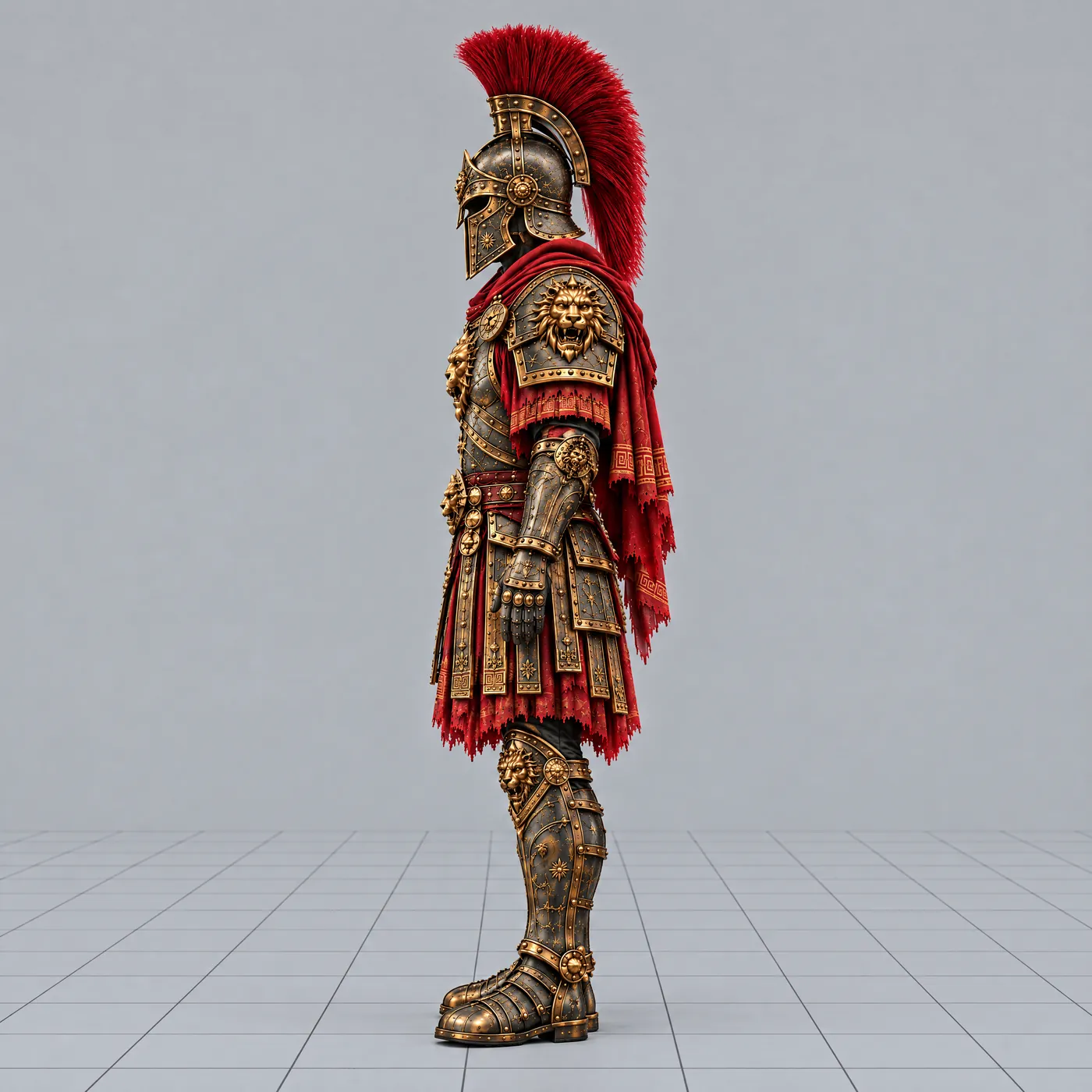
A full-body armoured warrior in bronze and red, a lion on the chest plate, a crested helmet
The armour set the pipeline was built against, from a generated reference image. Move the lamp.

Who holds the keys.

Most AI 3D products rent you a hosted model and a credit counter. Lampway turns that around: the models, the studio sign-ins and the server are yours, and a spend is a click you make.

Your inference

Run the agent on an Anthropic key, any OpenAI-compatible server, OpenRouter with a hard session ceiling, or your ChatGPT plan through OpenAI’s own “Sign in with ChatGPT” flow.

  • Anthropic API key
  • Ollama, LM Studio, llama.cpp, vLLM
  • OpenRouter, $3 session ceiling by default
  • ChatGPT plan, built; live test waits for one consent click

Your studios

Tripo for 3D and Higgsfield for image and video are used through your sign-in. A job that spends credits stops and waits for your click, with the price read back from the studio.

  • Tripo: mesh, texture, PBR, Smart UV
  • Higgsfield: image, video, motion transfer
  • Meshy, Hi3D, Hyper3D: specified, no driver yet

Your tools

Every tool is an algorithm that works without a model: retopology, UV, rig, mesh QA, projection. A model or a studio slots in behind the same interface when it helps.

  • Each tool returns a typed, re-runnable result
  • Rules decide first; a model sees the ambiguous cases
  • Hardware-heavy work rides your subscriptions

An agent in the viewport, and a swarm behind it.

Live

The agent drives your scene by running Python in a sandbox. In Plan Mode it writes the plan and waits for you to Approve. When it needs a decision it asks, and your answer resumes it. Checkpoints rewind the conversation.

For parallel work it starts up to six workers, each a headless Blender process. A worker’s result reaches your scene only through a typed, fenced commit (epoch, fence token, hash checks, receipts), and a failed worker lands nothing.

  • Run live through the real client: a plan, Approve, a bronze sphere placed.
  • Swarm run live: three workers on OpenRouter models, and all three collections landed.
  • Not yet run on the Claude CLI adapter.
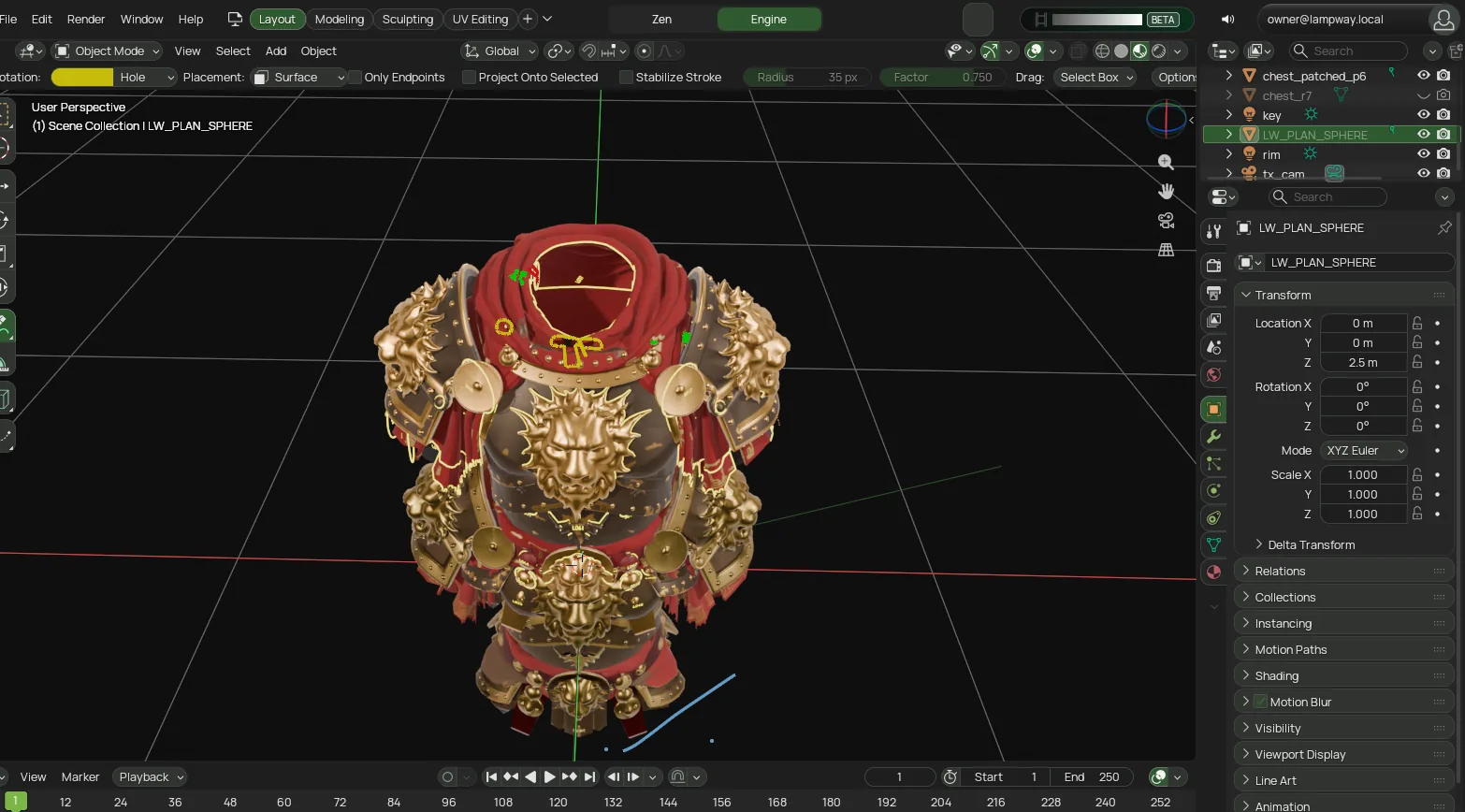
The Lampway client: a textured chest plate in the viewport, the outliner listing the sphere the agent placed
bootsIN_PROGRESS
waistPENDING
helmetPENDING

The viewport is a real capture from the live app (a mesh-painted chest plate and the sphere from the plan run). The plan bubble and the three worker cards are redrawn on top of it from the real runs. The live panel still draws Mixar’s cat as the avatar; the flame avatar shown here replaces it.

StudiosA simulation. No studio is contacted.

Waiting for your confirmation

tripo.texture30 creditsread back from the studio

  • The price on the button equals the price the studio read back.
  • The approval is one-shot.
  • No script is running: not the agent, not a worker, not the bridge.
  • The confirm comes from you, not from an agent tool.
Waiting. Nothing has been spent.

Prices from the studios report: mesh 100, texture 30, PBR 5, unwrap 20 credits.

Ask before it spends.

Built

Studios live inside the client. The agent can plan a job and read back the price. It cannot confirm one: spending is a click you make, not a setting an agent can flip.

  • The price on the button must equal the price the studio read back.
  • The approval is one-shot and expires after ten minutes.
  • The client refuses the confirm while any script is running.
  • A hung job is never re-clicked, and nothing can change privacy.

Tripo’s read-only state call ran against the real tab, and a read-only live diff of Higgsfield’s tools matched its schemas. No generation has been run on either studio. Two residual gaps are listed in the studios report: the bridge’s own exec path, and a person running the confirm operator by hand.

Images and video, with prompts you can tune.

Live

A prompt library sits under every generation: 18 built-in templates (7 video, 11 image) with typed variables, per-model adapters, versions that never overwrite, and A/B comparison by variant_of. Each run is logged with its rating, cost and gates. You see the price estimate before a job is submitted, a per-job cap and a ledger cap apply, and a job is never resubmitted.

A ten-second side-view walk on a grid floor, generated inside Lampway from the side-track template (a HeyGen model).

Built to be tuned

template
anim-walk-side-track, one of the 7 built-in video templates: side truck, long lens, grid floor
spine
one five-part structure for every template, so two versions differ only where you changed them
variables
typed and bounded, validated before the price is asked
adapters
per model family: OpenAI-style models take size, FLUX, Gemini, Seedream and Riverflow take resolution and aspect_ratio
ledger
every run logged with rating, cost and gate results, in one file
$0.10estimate before the job, one live 5 second HeyGen clip
$0.05billed for that clip
29video models in the catalogue snapshot
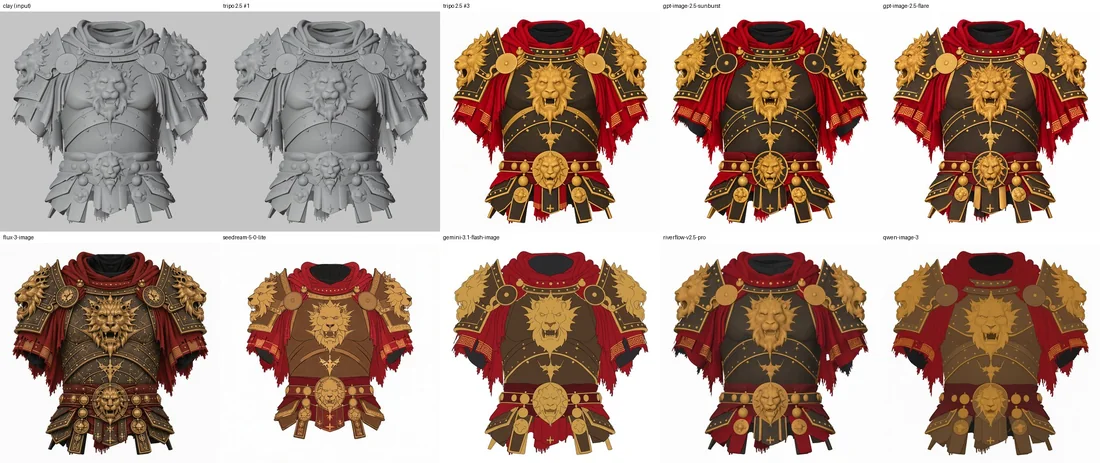
A grey clay render of a chest plate, and nine textured versions of it from different image models
The bake-off: one clay render of a chest plate, nine textured candidates (two Tripo textures and seven image models). It informed the per-purpose defaults for plates, masks, concepts and tiles.
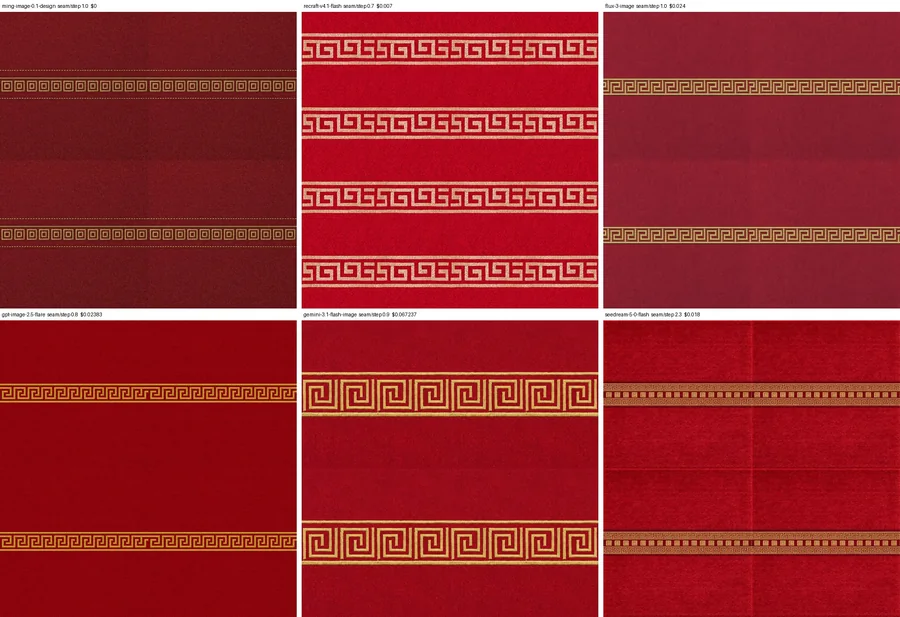
Six red cloth tiles with a gold Greek-key border from six image models
Cloth tiles from six models, asked for as seamless; the seam score and the price are printed on each.
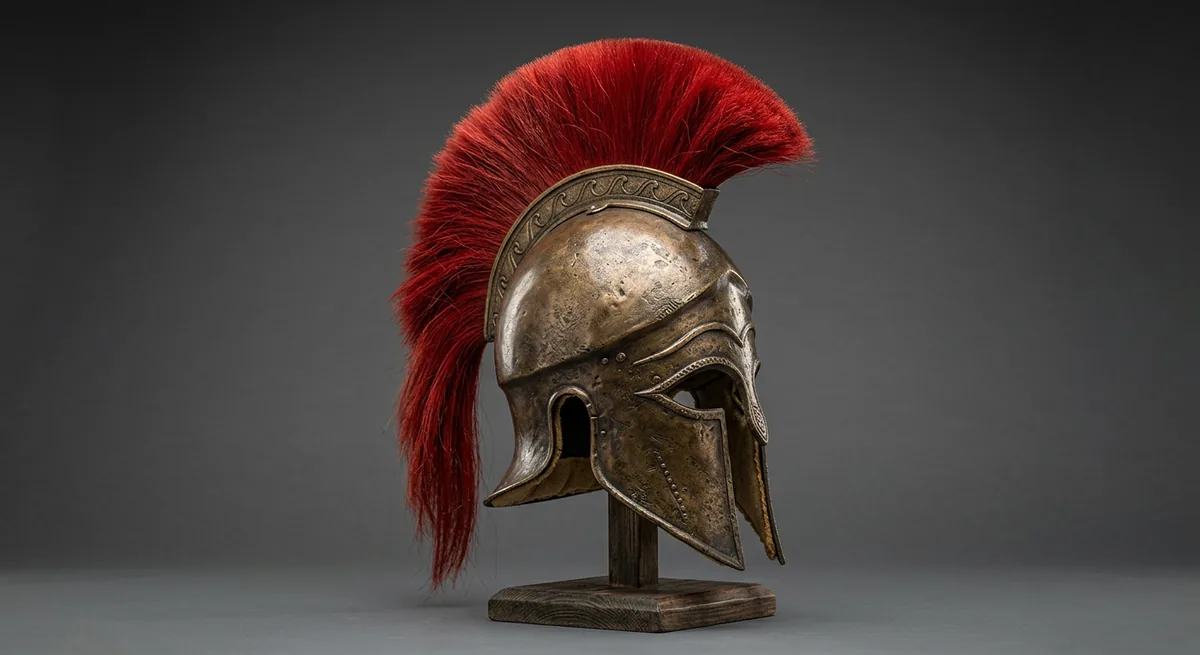
A bronze Corinthian helmet with a red horsehair crest on a wooden stand
Generated in the client through the image-job queue: 1408 by 768, $0.067.

From seed to engine.

Partial

The pipeline was built against a real set of game armour. Each stage is a tool with a typed result; the stages that touch geometry run before texturing, because a geometry change discards a texture.

11 stages: 3 live, 6 built, 2 planned. Wave 2 stages are judged by commit message; their suites were not re-run for this page.

  1. Seeds Built

    A typed catalogue of seed meshes with the settings that made them; a ranking law that puts proportions first, then defects, then fidelity. Only you pick.

  2. Plates Built

    Regenerated plates ranked against the reference, a deterministic alpha cut, checks, a manifest.

  3. Smart UV Built

    Through the Tripo studio on a saved copy. Texturing always comes last.

  4. Mesh QA Live

    Open loops and floating shells drawn per piece; your red, green and yellow strokes are rulings. Reproduced live on a recorded chest: 91 candidates.

  5. Parts and proportions Built

    Proportion scoring per piece, UV score and texel density, mesh defect scan, silhouette comparison.

  6. Fit placement and openings Built

    Enclosure placement with one uniform scale; keep, gasket or delete for each opening.

  7. Mesh-paint texturing Live

    Four clay views, silhouette-ranked picks (0.990 to 0.994 IoU on the live piece), plates, projection.

  8. Rebuild loop Live

    Patch holes, UV patches, maps, relief projection, material masks. Ran end to end on the real piece.

  9. PBR merge and FBX package Built

    Textures and a README of hashes and conventions beside the FBX.

  10. Weight transfer, bind, validate Planned

    Wave 3. The seam-aware transfer that the 7.3 cm cuirass tear needs.

  11. Engine import check Planned

    Wave 3. Skeleton export and an import check against the engine set.
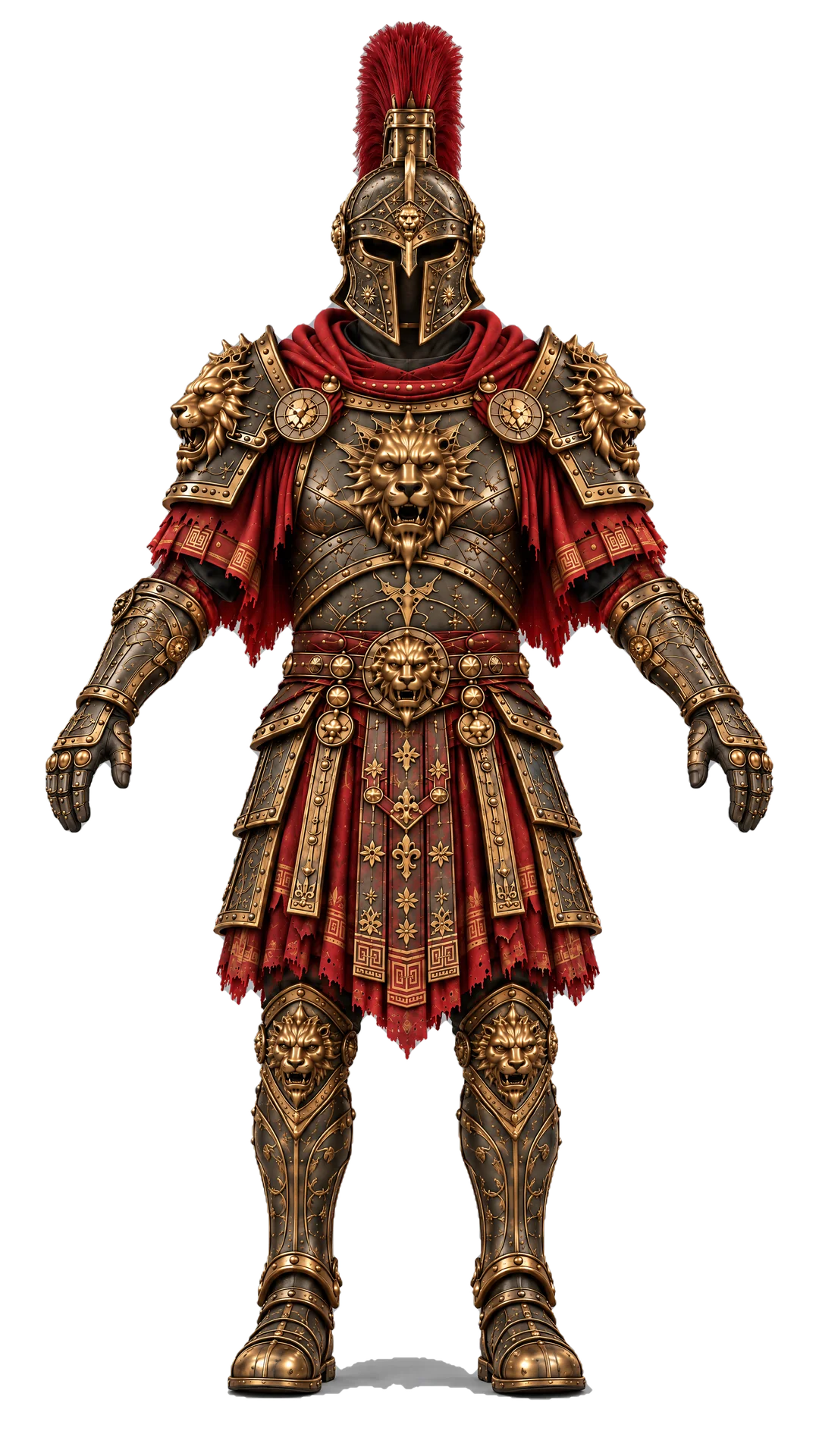
The armoured warrior, full body, front view, on a dark ground
The target set, front.
The armoured warrior in side profile on a grid floor
And in side profile on the grid, the view the animation clips use.

Animation from AI video.

Planned

The plan: generate one split-screen clip that shows the walk from the front and from the side, find 2D joints in each panel, triangulate them, check the silhouette against the clip, then loop and export. Two views give depth and tell the legs apart without a heavy model.

Under way Clips

Video generation, motion transfer and the side-track prompt template exist. The clips on this page are experiments with them.

Not built Tracker

The multi-view joint tracker, retarget and loop export are Wave 4, which has not started.

The input the tracker will use: one generated clip, front on the left and side on the right. A real output; nothing has been tracked from it yet.

Your other AI apps can drive it.

Live

Turn on MCP in Lampway, pick your app and click Add. The assistant starts a small local launcher, and the launcher talks to your running Lampway over a loopback connection.

  • The server offers 58 tools (56 Lampway tools plus run_blender_python and scene_summary), and the client adds its own scene and UI tools.
  • Studio tools that spend credits are not offered over MCP, and spends still wait for your click.
  • The real stdio launcher listed 56 tools in total on an earlier build; the recording is being refreshed after the rename.
claude code
# Lampway, profile menu, Connect AI Apps (MCP), then:
$ claude mcp add --scope user lampway -- ~/.lampway/connector/lampway-mcp
  • Claude Code
  • Codex
  • Cursor
  • VS Code
  • OpenCode
  • Claude Desktop
  • any app that runs a local stdio server

GPL-3.0-or-later.

Free software, with its origin on the label.

Lampway began as a fork of the GPL Mixar desktop client, which is itself a custom build of Blender. We kept the client and wrote the backend, because Mixar’s is closed and hosted. Upstream copyright and licence notices stay, as the GPL requires.

Lampway is an independent open-source project, started from the GPL-licensed Mixar client and built on Blender. Not affiliated with or endorsed by Mixar, Adeveda Enterprises Private Limited or the Blender Foundation.

Origin and attribution

Seven waves, one report each.

  1. 0Correctness defects in shipped tools Done
  2. 1Prompt library, job registry, lineage, ledger, workflow graph Done
  3. 2The armour pipeline to the engine set In progress
    9 of 16 rows landed
  4. 3Fit, bind and export to the engine Not started
  5. 4Animation: clip, check, retarget, multi-view fit Not started
  6. 5Mixar parity, the rest; Meshy and Hi3D drivers Not started
  7. 6Cloth, characters, splats, printing, cinematics Waits on scope